
}
When using EGLOBAL AMD Mini PCs, personalized configuration and hardware installation are key to enhancing device usability. As popular models from EGLOBAL AMD Mini PC, the S500 and A1 series include critical operating details for scheduled power-on, hardware installation, and other functions that users must focus on.
The scheduled power-on function of the EGLOBAL AMD Mini PC S500 can be easily configured through the BIOS. After entering the Aptio Setup Utility interface, go to the Advanced tab and find the ACPI Settings section. Here you can enable ACPI Auto Configuration, then set the Wake up hour, Wake up minute, and Wake up second to precisely set the boot time. For the EGLOBAL AMD Mini PC A1 series, the power-on resume function relies on motherboard jumper settings: locate the dedicated jumper pin header for power-on resume on the mainboard, install the jumper according to the instructions to complete the boot trigger configuration. Always operate with the device powered off to prevent hardware short circuits.
Scheduled Power-On Setup: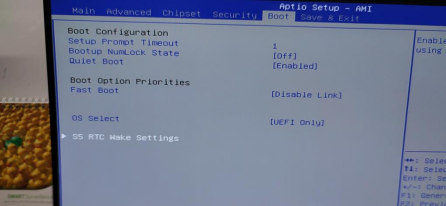
Jumper Location for Auto Power-On After Power Failure: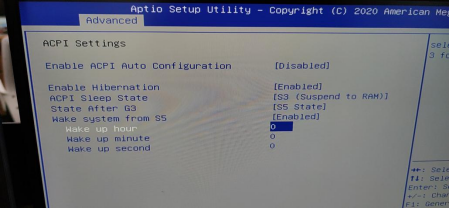
For hardware installation, extra caution is required when installing an M.2 HDD in the EGLOBAL AMD Mini PC S500. Due to the layout of the built-in cooling fan, the M.2 drive must be installed facing the fan side.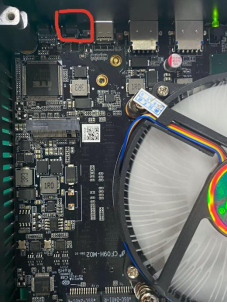
If installed in the reverse direction, forcing the bottom plate closed will directly damage the M.2 drive. 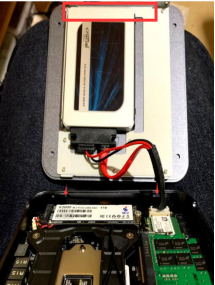
During installation, align the drive with the retention clip, ensure it is securely seated in the motherboard slot, and reserve space for fan cooling to balance hardware stability and thermal performance.
Whether adjusting scheduled power-on parameters in BIOS, accurately installing the M.2 drive, or connecting the power-on jumper for the EGLOBAL AMD Mini PC A1 series, rigorous operation is essential. Mastering these practical details not only maximizes the functional potential of the mini PC but also effectively prevents hardware damage, ensuring long-term stable operation and a reliable foundation for daily use and personalized expansion.
Contact: EGSMTPC
Phone: +86 13418881073
Tel: +86 13418881073
E-mail: coral@eglobaltech.cn
Add: 16D, QUANZHI Science & Technology Building, Maozhoushan Industrial Park, Hou Ting Community, Sha Jing Street, Bao'an District, Shenzhen, 518104 China