
}
Prepare a USB flash drive and format it to the FAT32 file system.
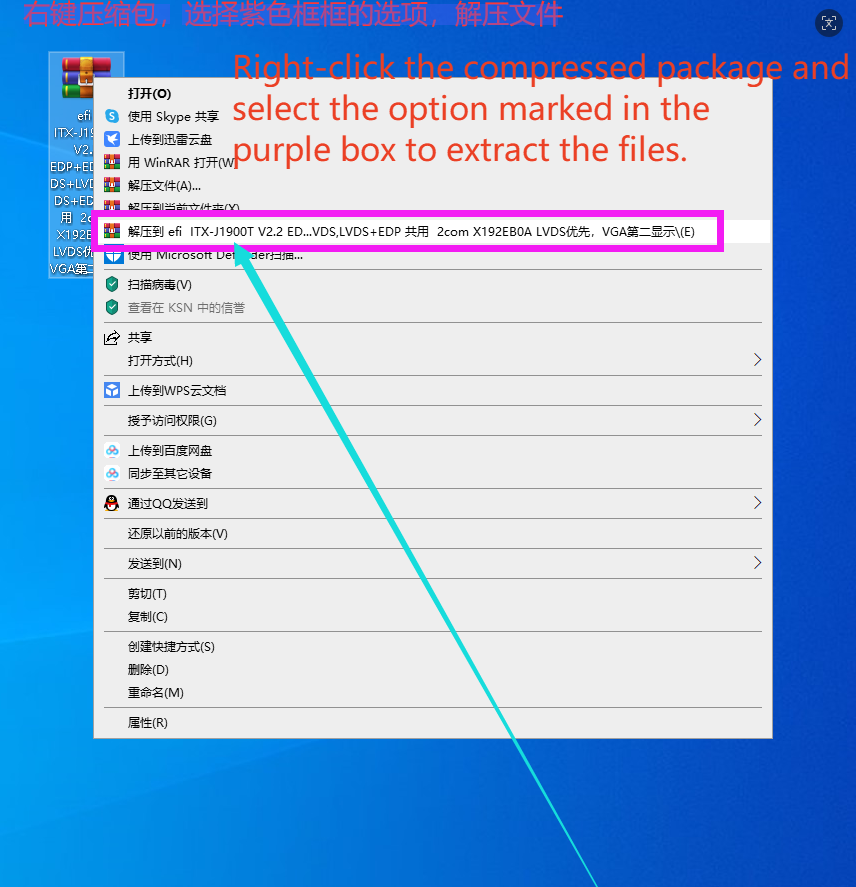
2.Extract the BIOS archive file to obtain a directory with an EFI-prefixed name. Rename this directory to EFI, then place the entire EFI folder directly in the root directory of the USB drive.

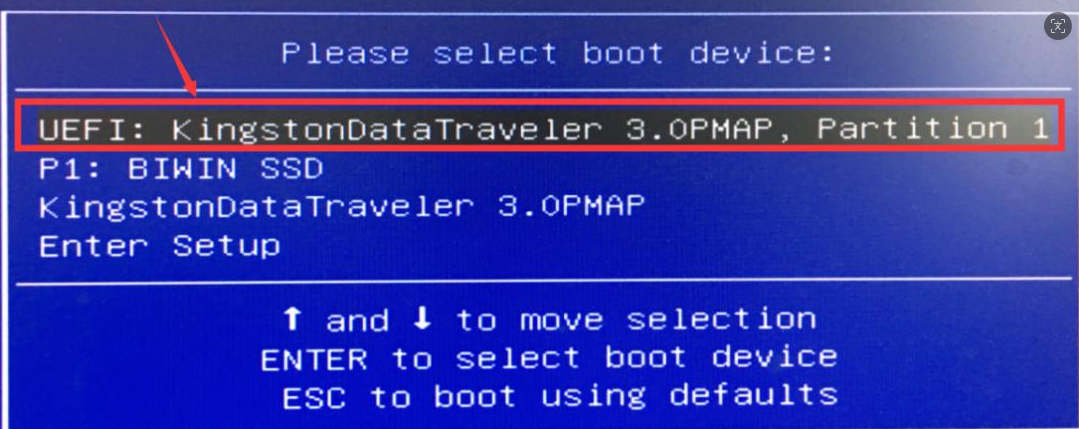
3.Power on the device and press the F11 hotkey to open the boot menu. Select the USB drive option labeled with the UEFI prefix and press Enter.
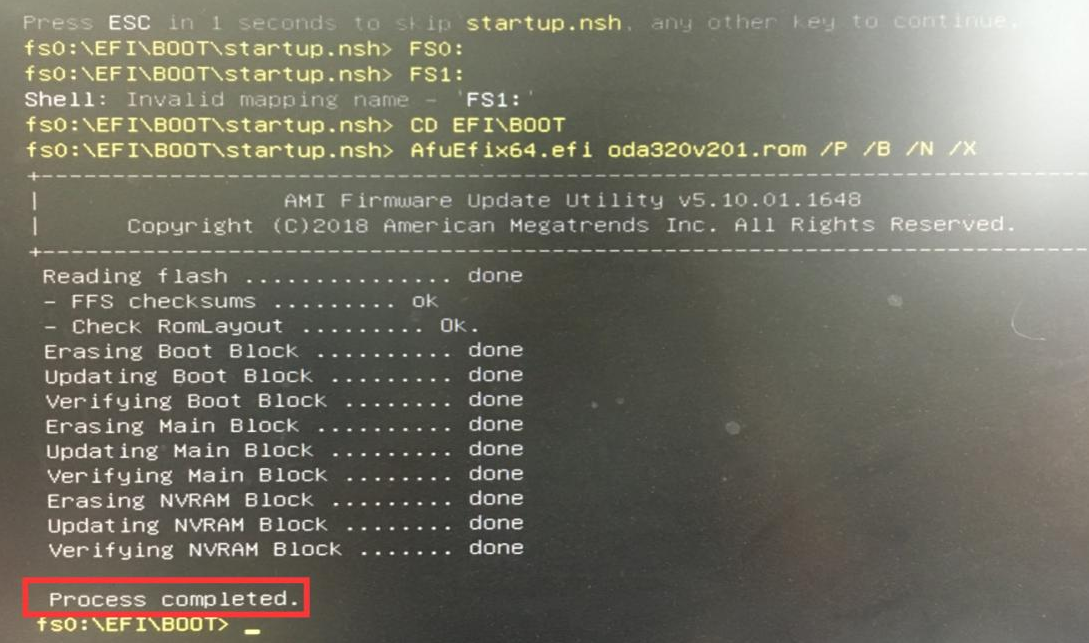
4.The system will automatically boot into the EFI Shell and initiate the BIOS flashing process, which runs until fully completed.
5.After BIOS flashing finishes, reboot the unit and press the Del key to enter the BIOS setup interface. Press F9 to load optimized default settings and confirm with Enter; then press F10 to save changes and exit, followed by Enter to confirm.
Do not cut off power at any point during the BIOS flashing procedure; power interruption will corrupt the BIOS firmware and render the device unbootable.
If the flashing program flashes briefly then the system restarts immediately, disconnect or remove all storage hard drives except the flashing USB drive and retry the whole process.
Contact: EGSMTPC
Phone: +86 13418881073
Tel: +86 13418881073
E-mail: coral@eglobaltech.cn
Add: 16D, QUANZHI Science & Technology Building, Maozhoushan Industrial Park, Hou Ting Community, Sha Jing Street, Bao'an District, Shenzhen, 518104 China