
}
Driven by growing demands for industrial control and compact office computing, mini PCs feature compact footprint, low power draw and silent operation, gradually replacing traditional desktops. As a flagship lineup from EGLOBAL, the M4 series includes M4-J4125 and M4-J4105 with identical chassis design. Boasting superior CPU performance, the M4-J4125 is widely deployed for commercial terminals, industrial control and POS devices. This article covers product specifications and mainstream BIOS troubleshooting including power-on after power failure, boot sequence adjustment and keyboard power-up setup to resolve common commissioning issues.
The EGLOBAL M4 series adopts fanless all-aluminum construction with dimensions of 135×127×39 mm (44 mm with foot pads). VESA mount support enables rear-monitor installation, fitting minimalist desktop layouts and space-limited industrial cabinets. Passive cooling delivers zero-noise operation, ideal for HTPC, industrial controllers, self-service terminals and soft routers.
M4-J4105: Quad-core four-thread, base 1.5GHz, max turbo 2.5GHz
M4-J4125 (mainstream model): Quad-core four-thread, base 2.0GHz, max turbo 2.7GHz with 4MB L2 cache. Higher processing capacity ensures stable 24/7 continuous operation for industrial monitoring, POS and digital signage.
RAM supports 4GB/8GB/16GB/32GB DDR4 for flexible upgrade.
Rich industrial-grade ports include 4×USB3.0, HDMI+VGA dual display outputs, dual Gigabit LAN, 2×RS232 COM ports and 3.5mm audio jack with 12V DC power input. Hardware-native functions cover WOL wake-on-LAN, PXE boot and automatic power restoration after power loss.
Five frequent user issues involve boot sequence editing, AC loss power-on, keyboard wake failure, post-shutdown USB power cut and unstable USB port enumeration under Aptio BIOS.
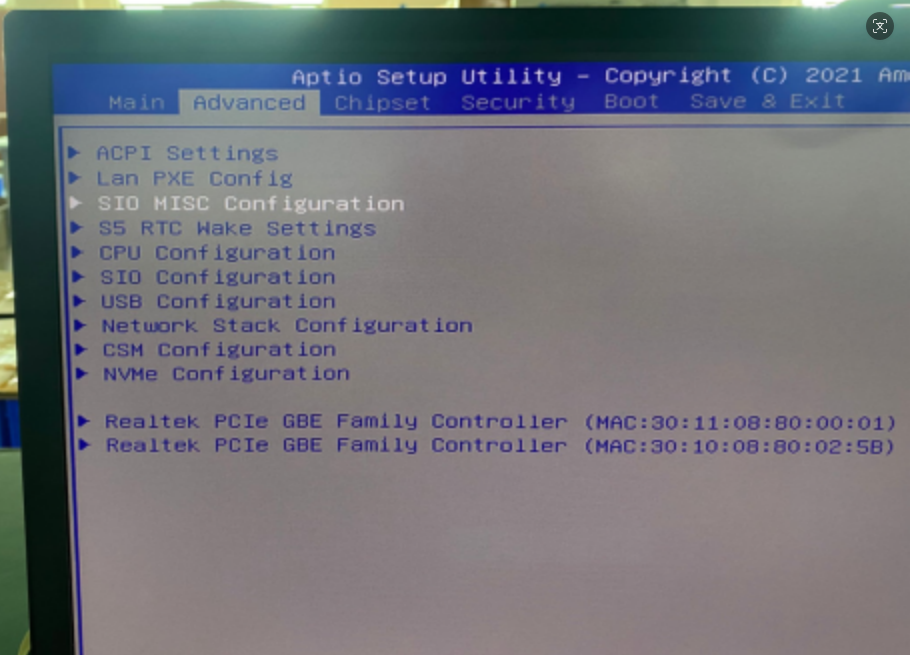
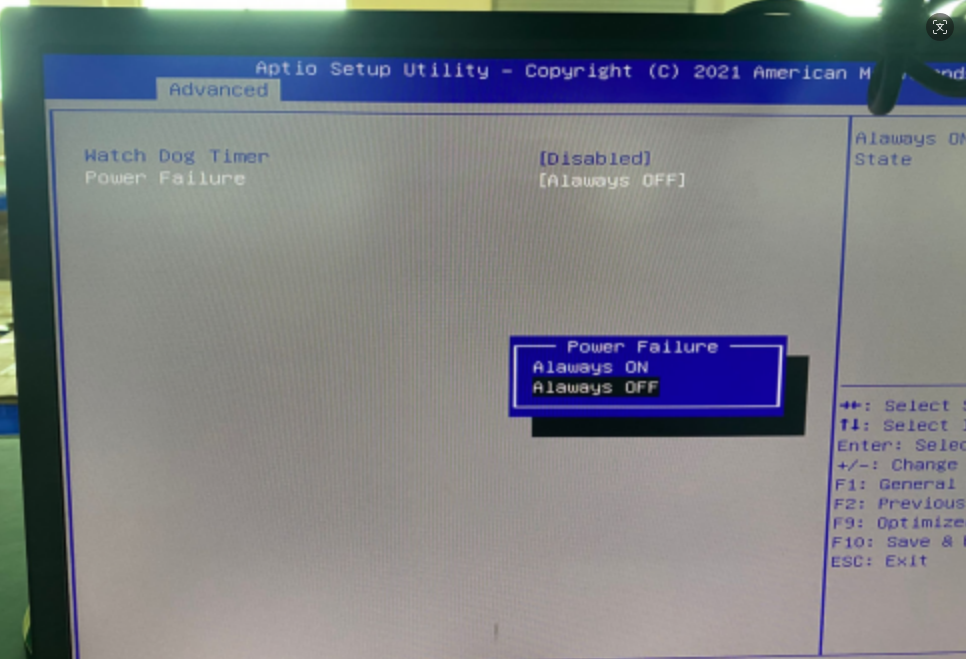
Navigate to Boot → Boot Option Priorities; assign boot order: #1 USB-HDD (if present), #2 mSATA, #3 NVMe (if present), #4 SATA-SSD (if present = auto-skip absent hardware).
Keep CSM enabled under Advanced→CSM Configuration for full hardware recognition, then save with F10.
Enable USB KB Wake Up from S5 for keyboard-triggered power-on;
Toggle on USB Power In S5 to retain USB standby power after shutdown.
Alternative path: Advanced→USB Configuration → enable USB Wake Support if options are missing in SIO menu.
Go to Advanced→USB Configuration and disable Auto USB Port Detect to lock fixed USB enumeration; modify drive letters via Windows Disk Management for OS-level port fixation.
Permanent CMOS Parameter Preservation (Factory Preconfigured)
Customized BIOS firmware retains all settings even with exhausted RTC battery, eliminating repeated parameter setup and cutting industrial maintenance expenses.
Contact: EGSMTPC
Phone: +86 13418881073
Tel: +86 13418881073
E-mail: coral@eglobaltech.cn
Add: 16D, QUANZHI Science & Technology Building, Maozhoushan Industrial Park, Hou Ting Community, Sha Jing Street, Bao'an District, Shenzhen, 518104 China